How to Create Professional Invoices As a Self-employed Contractor
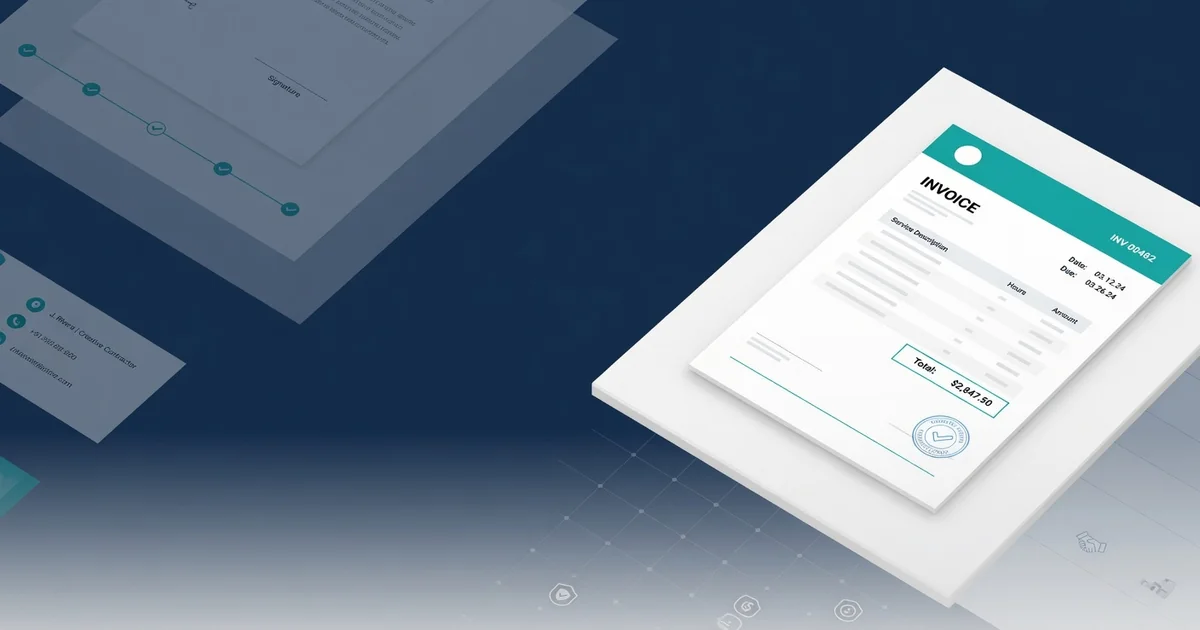
Knowing how to create an invoice documents that clients trust — and pay promptly — is one of the most practical skills a self-employed contractor can develop. According to Adobe's invoicing guidance, a professional invoice does more than request payment; it signals credibility, protects your legal standing, and sets the tone for every client relationship going forward.
Getting that foundation right takes just a few deliberate steps:
Define your business identity. Choose the name, logo, and contact details that will appear on every invoice. Consistency here builds brand recognition across dozens of client touchpoints.
Establish a legal billing basis. Confirm whether you're invoicing as a sole proprietor, LLC, or other entity — this affects tax language and liability disclosures on each document.
Decide on a sequential numbering system. A simple format like INV-2025-001 prevents duplicate records and makes bookkeeping far easier come tax season.
Standardize your payment terms upfront. Decide on Net 15, Net 30, or another structure before you send your first invoice — [Skuad's contractor invoicing guide](https://www.skuad.io/blog/how-to-invoice-a-client-independent-contractor-guide) notes that clear terms directly reduce late payments.
Choose a consistent document format. PDF is the professional standard; it preserves formatting across every device a client might use to open it.
These identity decisions form the scaffold that every invoice you send will hang on. With your professional baseline in place, the natural next move is selecting the right tool to generate polished, accurate invoices every time.
Step 1: Select a professional invoice generation method
Knowing how to generate an invoice documents efficiently starts with choosing the right tool. Your method directly affects how polished your invoices look, how quickly you can send them, and — ultimately — how fast clients pay.
Here's how to evaluate and commit to an approach that works for your workflow:
Assess your volume. If you're sending fewer than five invoices per month, a well-designed template (Word, PDF, or Google Docs) is often sufficient. Higher volume warrants dedicated software or an online generator.
Compare your main options. The three most practical choices for independent contractors are: editable PDF or Word templates, browser-based invoice generators, and full invoicing platforms. Each trades simplicity for features at different price points.
Opt for a template-based approach if you want zero cost and full control. According to Billdu, free self-employed invoice templates cover every essential field and are ready to customize within minutes.
Use an online generator for automatic calculations, sequential invoice numbering, and instant PDF export — all without manually maintaining a spreadsheet. Many generators, including free tools like those on DocTools.CC, require no account signup.
Evaluate invoicing software only if you need recurring billing, time-tracking integration, or client payment portals. The added overhead may not be justified for straightforward project-based work.
Confirm the output format. Your final invoice should export as a non-editable PDF — this protects both parties and presents a consistent, professional appearance per Invoxa's contractor invoicing guidance.
Once your generation method is locked in, the next step is filling it with accurate, complete business and client information — which is where most invoicing errors actually occur.
Step 2: Input essential business and client information
Once you've selected your tool, the next task is filling in the core details that turn a blank template into a legitimate billing document. Whether you use a paid platform or create a free invoice documents with a no-cost tool, every invoice must contain the same foundational fields to hold up professionally.
Follow this sequence to complete your invoice information accurately:
Enter your full legal name or business name, along with your address, phone number, and email. This identifies you as the issuing party and gives clients a clear way to reach you with questions.
Add your client's billing details — the contact name, company name, and mailing address exactly as they appear in your contract. Mismatched names can delay payment or cause accounting issues on the client's end.
Include the invoice date, which marks when the document was issued. This date anchors your payment due date calculation.
Describe each service line clearly, using specific language rather than vague labels. According to Invoxa, itemized descriptions reduce disputes and speed up client approval.
Specify your rate and quantity for each line item — hourly rate multiplied by hours worked, or a flat project fee — then calculate the subtotal per line.
Apply any applicable taxes or discounts and display a clear grand total. If you generate other financial documents, a free pay stub tool can help you cross-reference your income records consistently.
Accurate information here prevents back-and-forth corrections later. With your business and client details locked in, the next critical element is assigning a proper invoice number — a small detail with surprisingly large organizational impact.
Step 3: Implement a sequential invoice numbering system
A consistent numbering system transforms your billing process from informal to professionally trackable. Every freelance invoice templates should include a unique invoice number — this single field keeps your records organized, helps clients match payments, and satisfies IRS documentation requirements for self-employed contractors. Here's how to set up a numbering system that scales with your workload:
Select a format before sending your first invoice. Common approaches include straight sequential numbers (INV-001, INV-002), date-based prefixes (2025-001), or client-coded formats (SMITH-01). Pick one and commit to it.
Start at a credible number. Beginning at INV-001 signals you're new to invoicing. Many contractors start at INV-100 or INV-1001 to project an established track record — a subtle but effective trust signal.
Log each number immediately. Record every invoice in a spreadsheet or accounting tool the moment you generate it. Gaps in your sequence are red flags during audits or payment disputes.
Never reuse or skip numbers. According to [Invoxa's contractor invoicing guide](https://www.invoxa.com/guides/how-to-craft-a-professional-contractor-invoice-that-gets-you-paid/), maintaining an unbroken sequence is essential for financial record integrity and client accountability.
Separate sequences by client if needed. High-volume contractors sometimes use parallel sequences (e.g., CLIENT-A-001, CLIENT-B-001) to make client-specific reporting faster.
Carry the same numbering into your payment records. When reconciling income — whether manually or through a tool like a [free pay stub generator](https://doctools.cc/tools/business/pay-stub-generator) — matching invoice numbers to payments eliminates costly confusion at tax time.
Once your numbering system is locked in, the next high-impact step is writing service line items that are specific enough to justify your rates and prevent client disputes.
Step 4: Itemize services with specific descriptions
Knowing exactly what to include in an invoice at the line-item level is where many contractors lose money — vague descriptions invite disputes, delayed approvals, and slow payments. This step shows you how to build an itemized service section that's clear, professional, and defensible.
List each service as a separate line item. Never bundle unrelated work into a single entry. If you designed a logo, wrote copy, and attended a strategy call, each gets its own row with a distinct label.
Write a specific, action-oriented description. Instead of "consulting," write "2-hour UX review session on homepage wireframes — 04/10/2025." Specificity reduces back-and-forth with clients and reinforces the value you delivered, according to Adobe's contractor invoicing guide.
Include quantity and unit rate in separate columns. Show hours worked or units delivered alongside your hourly or flat rate. Clients can verify math at a glance, which builds trust.
Calculate the line total for each row. Multiply quantity by rate and display the result. Don't make the client do the arithmetic.
Add a subtotal, then apply taxes or discounts. Keep these as distinct rows below the itemized list. Billdu's self-employed invoice guide recommends separating any applicable tax rate so clients can see exactly how the final amount was reached.
Display a bold, clearly labeled grand total. Use a larger font size or a shaded row to make the final amount impossible to miss. Tools at DocTools.CC auto-calculate totals as you enter line items, eliminating manual errors entirely.
With your services accurately itemized and totals confirmed, the next critical element is telling clients precisely how — and when — you expect to be paid.
Step 5: Define clear payment terms and methods
With your line items properly described — building on the itemization work from Step 4 — your invoice needs equally clear payment terms to close the loop on expectations. Vague terms like "payment due soon" are a leading cause of delayed payments for self-employed contractors.
Follow these steps to set payment terms that protect your cash flow:
Choose a payment window. Specify a concrete due date or a standard net term — Net 15, Net 30, or Net 45 — directly on the invoice. Net 30 is the most common baseline, but shorter terms like Net 15 work well for smaller project invoices.
Add a late fee clause. State the penalty clearly, such as "1.5% per month on overdue balances." According to Billdu, contractors who include late fee language on invoices get paid faster than those who don't.
List every accepted payment method. Include bank transfer details, PayPal, check, and or any platform you use. Reducing friction in the payment process directly reduces delays.
Reference your contract. If your agreement specifies payment terms, mirror that language exactly on the invoice to eliminate disputes.
Note early payment discounts if applicable. A small incentive — for example, 2% off for payment within 5 days — can accelerate receipt of funds noticeably.
Double-check how to number your invoices one final time before adding terms, ensuring the invoice ID on your payment instructions matches your sequential records precisely.
You can generate a complete invoice with these fields pre-structured, keeping your terms consistent across every client. Once payment terms are locked in, the final step is reviewing and delivering your invoice in a format that clients cannot accidentally alter.
Step 6: Review and send as a non-editable PDF
With your payment terms locked in from Step 5, the final step before sending any invoice for self-employed work is a thorough review followed by delivery in a format your client cannot accidentally — or intentionally — alter.
Complete these steps to finalize and send your invoice professionally every time.
Proofread every field — Check the client name, invoice number, service descriptions, rates, and totals. A single math error or wrong date can delay payment by days.
Verify your tax handling — Confirm whether self-employment taxes, sales tax, or VAT apply to this invoice. According to Billdu, self-employed contractors are responsible for tracking and applying applicable taxes independently — errors here can trigger compliance issues.
Cross-check payment details — Confirm your bank account number, PayPal handle, or payment link is accurate. One wrong digit means delayed funds.
Convert the document to PDF — Export or print-to-PDF before sending. A PDF locks your formatting and figures so nothing shifts in transit. Free tools on platforms like this one make conversion straightforward.
Send via email with a brief cover note — Reference the project name, due date, and total in the email body. This creates a timestamp and a paper trail both parties can reference.
Save a copy for your records — File the sent PDF by client name and invoice number. Industry guidance for freelancers consistently recommends keeping at least three years of invoice records for tax purposes.
Following this sequence protects you legally and speeds up payment — a solid foundation for the professional invoicing habits the next section will reinforce.
Key Takeaways for Professional Invoicing
Understanding how to invoice as a self-employed contractor comes down to executing a repeatable, well-structured process every single time you bill a client. The six steps covered throughout this guide — from setting up your header through sending a locked PDF — work together as a complete system, not as isolated tasks.
Here is a concise recap of what makes an invoice professional and payment-ready:
Include every required field. Contact details, a unique invoice number, itemized line items, and your business information must all be present before you send anything.
Itemize work specifically. Vague descriptions invite disputes; precise line items paired with rates and quantities remove ambiguity entirely.
Set explicit payment terms. Labels like Net 15 or Net 30, your accepted payment methods, and any late fee policy should leave zero room for misinterpretation.
Send only non-editable PDFs. A locked file protects the figures and terms you negotiated, keeping your record tamper-proof.
Track every invoice you send. According to [Billdu](https://www.billdu.com/invoice-template/self-employed-invoice-templates/), using a consistent numbering system and filing copies makes following up on late payments significantly faster.
Use free tools to reduce friction. Platforms like [DocTools.CC](https://doctools.cc/about) provide free document generation resources that eliminate the formatting work so you can focus on the project itself.
Apply these steps consistently and late payments, client confusion, and formatting errors become far less common. The natural next question is whether any of this process can run with less manual effort — which is exactly where automation comes in.
How to automate your freelance documentation today
Pulling everything together into a repeatable system is what separates contractors who chase payments from those who get paid on time, every time. The six-step process covered throughout this guide — from structuring your header to locking in payment terms and sending a non-editable PDF — only delivers its full value when you execute it consistently. Here is how to put that system into motion right now.
Choose a dedicated invoicing template built for self-employed contractors, such as a pre-formatted option from platforms that walk you through freelance contracts and invoices together, so your structure is already correct before you type a single line.
Populate your master template with your business name, contact details, and default payment terms — Net 15 or Net 30 — so every new invoice starts 80% complete.
Assign a sequential invoice number each time you bill, keeping your records audit-ready from day one.
Itemize every deliverable with a clear description, rate, and quantity before calculating totals or adding late-fee language.
Export as a non-editable PDF to protect your figures and present a polished, professional document.
Send promptly and follow up on a fixed schedule — in practice, contractors who invoice within 24 hours of project completion experience far fewer payment delays.
Every invoice you send is a direct reflection of your professionalism. Start with a solid template, follow the process, and you will build the kind of credibility that keeps clients coming back.