How to Prepare Your Freelance Tax Information
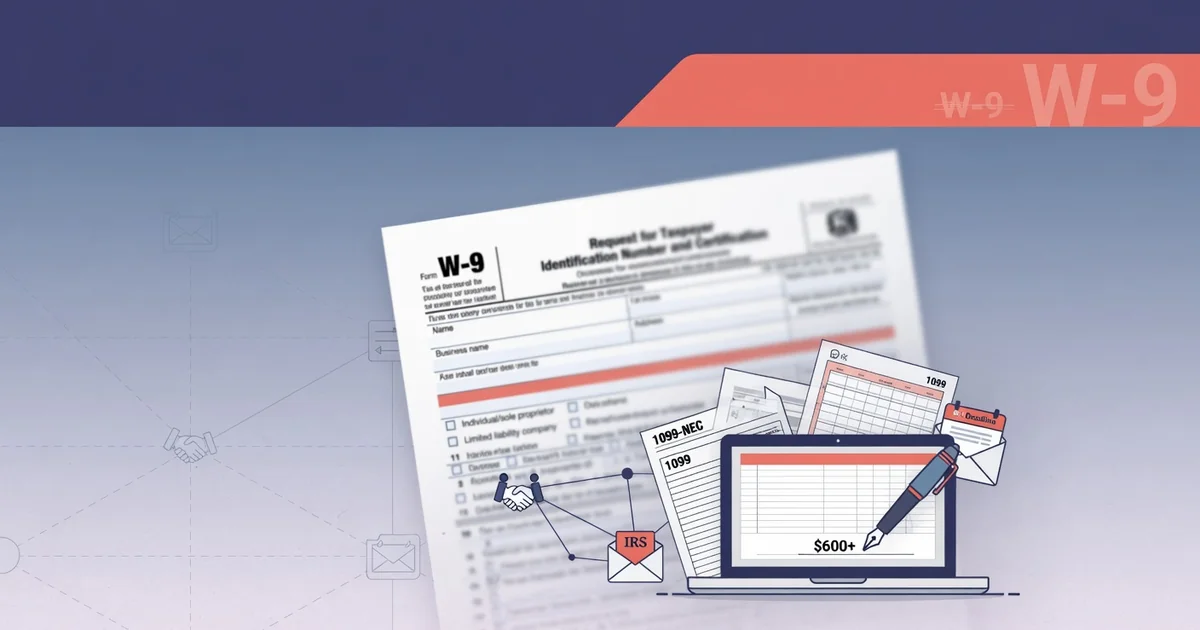
Freelancing comes with serious tax responsibilities — and knowing how to fill out a W-9 correctly before a client asks for one can be the difference between getting paid on time and chasing down paperwork. According to the IRS, businesses must collect a valid W-9 from every contractor they pay $600 or more in a calendar year, making this form a non-negotiable part of freelance life.
Getting your tax documents in order involves more than just filling in a few blanks. Here's what every freelancer needs to have ready:
Legal name or business name — exactly as it appears on your tax return
Tax classification — sole proprietor, LLC, S-Corp, or other entity type
Taxpayer Identification Number (TIN) — your SSN or EIN
Current address — where the IRS should send correspondence
Signature and date — certifying accuracy under penalty of perjury
In practice, most clients expect a completed W-9 within 24 to 48 hours of signing a contract. Delays can hold up your first invoice payment entirely.
The right generator makes this process fast, secure, and repeatable. Tools that process your data entirely in your browser eliminate the risk of sensitive TIN data touching a third-party server — a critical privacy consideration today. The first step is choosing a generator that meets current security and compliance standards, which is exactly where this guide begins.
Step 1: Select a Secure 2026-Compliant Generator
Before filling in a single field, choosing the right platform sets the tone for everything that follows. Not every free tool on the internet handles sensitive tax data with the same level of care — and for an W-9 form for independent contractors, that distinction matters.
When evaluating a generator, look for these key criteria:
IRS compliance: The form must reflect the current revision. The W-9 template should match the 2026 IRS layout exactly, including updated certification language.
No registration required: Friction slows you down. In practice, the best free tools let you fill, download, and share without creating an account.
Secure file handling: Confirm the platform auto-deletes your file after download. If you're also working with supporting PDFs, tools that offer secure document handling add an extra layer of protection for sensitive files.
Instant PDF output: You need a clean, printable PDF — not a locked proprietary format. Platforms like TaxBandits and Jotform both offer fillable W-9s with immediate download.
eSign capability: Clients increasingly expect digitally signed forms. Tools with built-in eSignature features, such as DocuSign's W-9 template, eliminate the print-scan-send cycle entirely.
One practical note: free doesn't mean unsecured, but always verify a platform's privacy policy before entering your Social Security Number or EIN. With the right tool selected, you're ready to move into the most consequential part of the process — entering your legal identity and tax classification accurately.
Step 2: Enter Your Legal Identity and Tax Classification
With a secure platform selected, the next move is filling in your identity details accurately — because errors here are the most common reason a W-9 form for independent contractors gets rejected or delayed.
Most generators walk you through the same core fields the IRS requires:
Full legal name (Line 1): Enter the name exactly as it appears on your tax return — not a nickname, not a business trade name.
Business name (Line 2): Only complete this if you operate under a DBA (doing business as) that differs from your legal name. Leave it blank otherwise.
Federal tax classification (Line 3): This is where many freelancers hesitate. Select one box only. Sole proprietors and single-member LLCs typically check "Individual/sole proprietor." Multi-member LLCs and S-corps have their own designations.
Exemptions (Line 4): Most individual freelancers leave both exemption fields blank. These fields apply primarily to corporations and certain exempt payees.
Address (Lines 5–6): Use your current mailing address — the one where you'd receive IRS correspondence.
Tax classification is the field most worth double-checking. A common pattern is for new freelancers to confuse their LLC status with S-corp election, which creates downstream withholding errors. If you're unsure how your business entity is classified, the IRS's entity classification guidance is a practical reference.
Once your identity fields are locked in, the critical next piece of information — your Taxpayer Identification Number — completes the form's core data.
Step 3: Provide Your Taxpayer Identification Number (TIN)
With your legal identity and tax classification locked in, the TIN field is where accuracy becomes non-negotiable. For the W-9 form for self-employed individuals individuals, this is typically your Social Security Number (SSN) — entered as a 9-digit string across three boxes. However, if you operate as a single-member LLC taxed as a sole proprietor, you have a choice: use your SSN or your Employer Identification Number (EIN).
Here's when each option applies:
SSN — Use this if you're a freelancer operating under your personal name with no separate business entity
EIN — Preferred if you've formally registered a business, want to limit SSN exposure to clients, or have employees
Never leave this field blank — A missing TIN triggers IRS backup withholding at a flat 24% rate, meaning your client withholds nearly a quarter of every payment
Backup withholding is avoidable. A well-built generator flags TIN fields as required before allowing a download, reducing the risk of submitting an incomplete form. One practical approach is to double-check your EIN against your IRS confirmation letter — transposed digits are a common and costly mistake.
If you're filing multiple tax documents at once, a platform that handles W-9s, 1099-NECs, and related forms in one place keeps your TIN consistent across every document automatically.
With your TIN confirmed, the final trust layer — a legally valid signature — is what makes the form actionable.
Step 4: Apply a Secure Digital Signature
With your TIN entered correctly, the signature step is what transforms your completed form into a legally binding document — and it's where many freelancers unknowingly create compliance problems.
A typed or drawn signature is legally valid for W-9 submissions under IRS guidelines, provided the platform captures an intent-to-sign acknowledgment. What to confirm before signing:
Signature method: Typed name, drawn signature, or uploaded image — all are acceptable if the tool logs a timestamp and consent statement.
Perjury statement acknowledgment: The W-9 includes a certification that your information is correct and that you're not subject to backup withholding. You must actively confirm this — not just sign your name.
Date field: Always enter today's date. An undated W-9 is technically incomplete, and some clients will reject it.
For freelancers also generating a 1099-NEC form for freelancers — whether 1099-NEC or 1099-MISC — note that the payer, not the recipient, signs the 1099. Your W-9 signature, however, remains your direct responsibility.
In practice, most reputable platforms generate a tamper-evident signature certificate alongside the PDF. If your final file is large due to embedded signature data, a quick file size reduction keeps it email-ready without compromising document integrity.
Once your signature is locked in, the next critical step is reviewing the completed document for errors before downloading your final PDF.
Step 5: Validate and Download the Final PDF
With your digital signature applied, the final step before sharing is validating the form and saving a clean, submission-ready PDF — the moment where everything you've entered becomes a usable document.
Before downloading, run a quick visual check:
Name and address match your government-issued ID exactly
TIN format displays correctly (nine digits, no extra spaces)
Tax classification checkbox reflects your actual business structure
Signature and date are visible and legible on the final page
Why validation matters: A rejected or incomplete W-9 can delay contractor payments. In practice, a single mismatched character in a TIN triggers a backup withholding rate of 24% on your payments — a costly error that a quick review prevents entirely.
Downloading your free w-9 form printable should produce a flattened PDF — meaning all form fields are embedded and non-editable — so the client receives a tamper-evident file. Tools like Otto AI's form generator apply this flattening automatically, as does any IRS-compliant W-9 workflow. Confirm the downloaded file opens cleanly in a standard PDF viewer before moving forward.
One practical tip: Save a personal copy in a dedicated folder labeled with the client name and tax year. You may need to resubmit the same form if a client loses it, and having it ready saves time.
Once your validated PDF is saved, you're ready to get it into your client's hands — securely and without unnecessary back-and-forth.
Step 6: Securely Share the Document with Your Client
With your validated PDF in hand, sharing it correctly is the final — and often overlooked — step in any reliable w-9 tutorial. How you deliver the document matters as much as how accurately you filled it out.
Avoid email attachments when possible. Sending a W-9 as a plain email attachment exposes your Social Security Number or EIN in transit. In practice, a more secure approach is using a platform that generates a protected share link, limits document access to the intended recipient, and logs when the file was viewed or downloaded.
Follow these steps for a secure handoff:
Generate a secure link rather than attaching the PDF directly to an email.
Set access permissions so only your client can view or download the file — not anyone with a forwarded link.
Enable expiration or revocation on the share link after your client confirms receipt.
Confirm delivery by asking your client to acknowledge they received and can open the document.
One practical caveat: even encrypted share links don't replace your responsibility to protect the original file. Store your local PDF copy in a password-protected folder or encrypted cloud storage — never in an unsecured downloads folder.
Retention matters too. The IRS recommends keeping copies of submitted tax forms for at least three years as part of standard recordkeeping practice.
As you refine your workflow across these six steps, the tools you choose make a significant difference — which is exactly what the next section addresses.
Summary: Best Free Tools for 2026 Compliance
Choosing the right tool depends on what stage of the freelance workflow you're in — collecting your own W-9, issuing a W-9 to a client, or needing to generate a 1099-NEC forms for contractors you've paid over $600.
Matching tools to tasks is the clearest way to approach 2026 compliance:
W-9 collection and signing: Platforms like DocuSign's W-9 template offer audit-ready e-signature support, while Jotform's W-9 generator excels at collecting multiple forms from several contractors at once.
Fillable W-9 with instant download: TaxBandits and PandaDoc both provide browser-based completion with clean PDF output — no registration required for basic use.
1099-NEC generation: Remote People's 1099 generator handles NEC and MISC variants side by side, making it practical for freelancers who cross over into paying subcontractors.
One practical consideration: free tiers typically cover PDF generation but may limit e-filing or bulk sending. Always verify what the tool includes before a filing deadline.
The broader pattern across all reviewed tools is that zero-friction access and secure sharing have become the baseline expectation — not a premium feature. As the next section consolidates, these workflow habits form the foundation of sound freelancer tax documentation going forward.
Key Takeaways for Freelancer Tax Documentation
Accurate tax documentation isn't optional — it's the foundation of a sustainable freelance business. Whether you're filling out a W-9 for a new client or generating a 1099-NEC at year-end, the tools and habits you build now protect you from IRS penalties, delayed payments, and compliance headaches down the road.
The core lesson across every section of this guide is straightforward:
Use purpose-built tools that produce IRS-compliant, fillable PDFs — not generic word processors or outdated templates.
Validate every field before sharing: legal name, TIN format, tax classification, and signature all matter.
Deliver documents securely — encrypted links or password-protected PDFs over email attachments every time.
Keep organized records of every W-9 collected and every 1099 issued, ideally in a dedicated folder updated each quarter.
Revisit your tool stack annually, since IRS form requirements and platform features both change — 2026 compliance is not identical to 2025.
In practice, freelancers who treat documentation as a workflow — not a last-minute scramble — spend far less time fixing errors and far more time doing billable work.
The right starting point is a reliable, zero-friction generator. If you haven't already, try a free W-9 form printable tool today, complete a test form end-to-end, and lock in your documentation process before your next client engagement begins.
DocTools.CC and Deel allow for instant PDF generation without storing sensitive TIN data on their servers.
Source: Brand Context / Deel Resource Guide