Make Watermark PDF
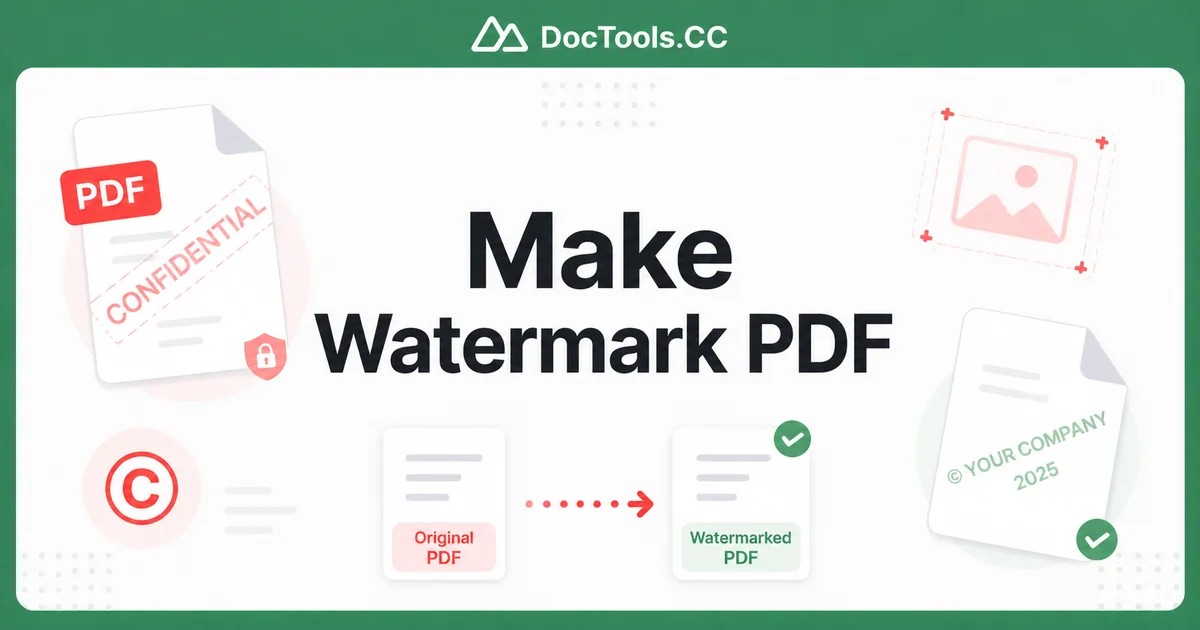
Keeping your documents safe from unauthorized use is more important than ever. Whether you're a photographer, business owner, or content creator, you need a quick way to protect your PDFs. The easiest solution is to make watermark PDF fast with a text or image overlay that clearly marks your ownership.
Watermarks act as a visible copyright notice that discourages copying and sharing. They can include your company name, logo, "Confidential," or "Copyright 2025." The good news? You don't need expensive software or technical skills. Our free online Watermark PDF tool lets you protect your documents in seconds directly in your browser.
In this guide, you'll learn exactly how to add watermarks quickly, customize them for maximum protection, and follow best practices that professionals use. Let's get your PDFs protected right now.
What Is a PDF Watermark and Why Do You Need One?
A PDF watermark is a text or image that appears on top of or behind the content of your document. Common examples include "Draft," "Confidential," company logos, or copyright notices like "© Your Name 2025."
Watermarks provide several benefits:
- They clearly establish copyright ownership
- They prevent unauthorized distribution
- They brand your documents professionally
- They add a layer of security against copying
By learning to make watermark PDF fast, you protect your intellectual property while maintaining a professional appearance.
How to Make Watermark PDF Fast Using Our Free Tool
Our Watermark PDF tool makes the entire process simple and lightning-fast. No registration or software installation needed. Here's exactly how to do it:
Step-by-Step Instructions
- Upload your PDF: Click the upload button or drag and drop your PDF file into the tool. You can add multiple files at once for batch processing.
- Choose your watermark type: Select either text or image watermark. Text works great for copyright notices, while images are perfect for logos.
- Customize the watermark: For text, enter your copyright message, choose font style, size, color, and transparency. For images, upload your logo and adjust its size and opacity.
- Set position and layout: Choose where the watermark appears—center, corners, diagonal, or tiled across every page. Decide if it should appear on the first page only or throughout the document.
- Preview your changes: Use the real-time preview to see exactly how your watermarked PDF will look.
- Apply and download: Click "Add Watermark" and download your protected PDF instantly. The original file remains untouched.
The entire process typically takes less than 30 seconds per document, making it one of the fastest ways to add copyright protection to your PDFs.
Advanced Options for Professional Results
Beyond basic text, our tool offers several professional features to help you make watermark PDF fast with precision:
- Batch processing: Upload and watermark multiple PDFs at once
- Page range selection: Apply watermarks to specific pages only
- Rotation options: Create diagonal watermarks that span the page
- Opacity control: Make watermarks subtle or bold depending on your needs
- Layer positioning: Choose whether the watermark appears above or below your content
These features give you complete control while still keeping the process incredibly fast.
Tips & Best Practices
To get the most from your watermarks, follow these professional tips:
- Keep it readable but not distracting: Use 30-50% opacity so the watermark is visible but doesn't interfere with reading the document.
- Use consistent branding: Create a standard copyright watermark with your logo and company name for all business documents.
- Include the year: Always add the current year in your copyright notice (e.g., "© 2025 Your Company") to strengthen legal protection.
- Place strategically: Position watermarks so they appear on every page and can't be easily cropped out.
- Combine with other protections: For sensitive files, consider using our Password Protect PDF tool alongside watermarks.
- Test print quality: Always check how your watermarked PDF looks when printed.
Remember that while watermarks deter casual copying, they aren't foolproof. For maximum security, combine them with password protection and proper legal documentation.
Common Watermark Text Ideas for Copyright Protection
Not sure what text to use? Here are popular options that effectively make watermark PDF fast with strong copyright messaging:
- "© 2025 Your Company Name - All Rights Reserved"
- "Confidential - Do Not Distribute"
- "Property of [Your Name]"
- "Draft - For Review Only"
- "Copyright Protected" with your logo
You can also combine text with images for a more professional and branded look.
Why Choose Our Online Watermark Tool?
Our Watermark PDF tool stands out because it's:
- Completely free with no hidden limits
- Works instantly in any browser
- Processes files securely on your device when possible
- Requires no software downloads or installations
- Offers both text and image watermark options
Compared to desktop programs like Adobe Acrobat, our tool is faster for simple watermarking tasks and costs nothing to use.
You might also want to explore our related tools: Add Text to PDF for custom annotations or Add Image to PDF for inserting pictures and logos.
Conclusion
Learning how to make watermark PDF fast is one of the smartest ways to protect your valuable documents and assert copyright ownership. With our free online tool, you can add professional watermarks in seconds without any learning curve.
Don't leave your PDFs vulnerable to unauthorized use. Protect them today with clear, professional watermarks that show you mean business. Try our Watermark PDF tool now and see how easy it is to safeguard your documents in just a few clicks.
Your content deserves protection. Start watermarking your PDFs right now and take control of your intellectual property.
Frequently Asked Questions
How long does it take to make a watermark on a PDF?
Using our free online tool, you can add a watermark to your PDF in under 30 seconds. The process is designed to be lightning-fast with real-time previews and one-click application.
Can I add an image as a watermark to protect my copyright?
Yes, our Watermark PDF tool supports both text and image watermarks. You can upload your company logo or any image to create a branded copyright mark that's hard to remove.
Is adding a watermark to PDF enough for copyright protection?
Watermarks provide a strong visual deterrent and help prove ownership, but for full legal protection you should also register your copyright and consider password-protecting sensitive files.
Can I remove a watermark from a PDF after adding it?
Yes. Our tool creates a new watermarked version and leaves your original PDF untouched. If you need to remove watermarks from existing files, you would need specialized PDF editing software.
Does the watermark tool work on mobile devices?
Yes, our Watermark PDF tool is fully responsive and works on smartphones, tablets, and desktop computers. You can protect your PDFs from any device with an internet connection.