The 2026 Payroll Reality: Why State Laws Trump Federal Silence
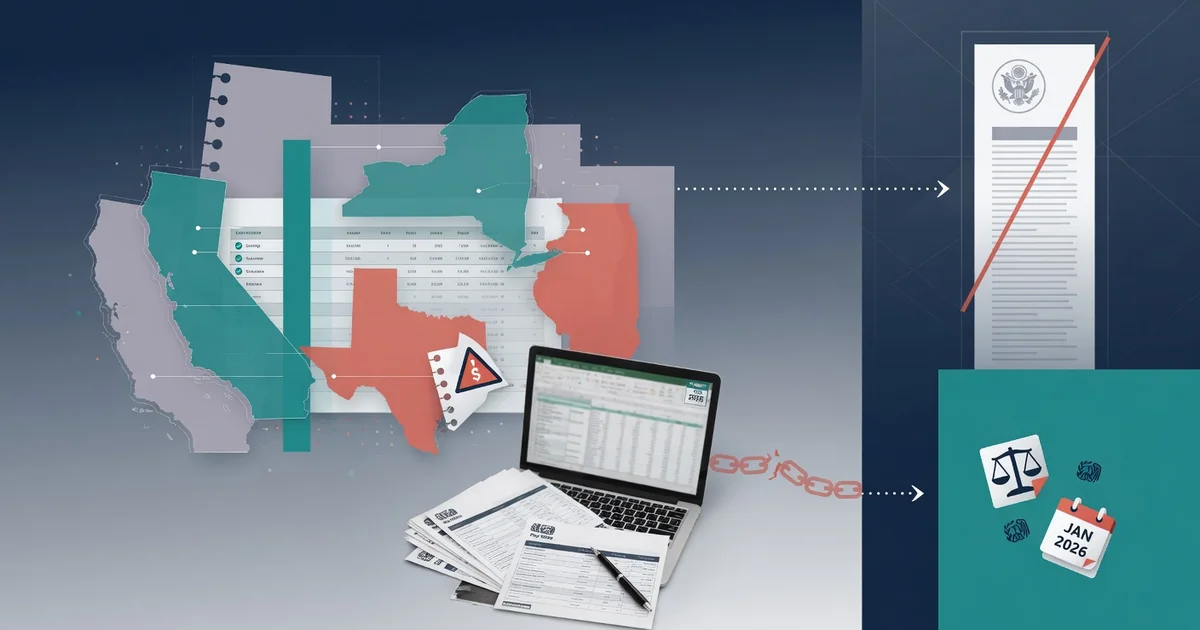
State law — not federal law — determines whether your workers actually receive a pay stub, and in 2026 that distinction carries real financial risk for freelancers and solopreneurs.
Federal law contains a critical gap: Under the Fair Labor Standards Act (FLSA), employers must maintain accurate payroll records, but as the IRS (Publication 15) makes clear, federal law places no mandate on delivering a pay stub to workers. That silence leaves the entire compliance burden to individual states — and those rules vary dramatically.
The stakes have grown sharper with remote work. As the Society for Human Resource Management (SHRM) notes, "the shift toward remote work means a business owner in one state may be subject to the pay stub laws of another state where their contractor resides." A solopreneur based in Texas — a No-Requirement state — who hires a contractor living in California instantly falls under California's strict itemized-stub rules, not Texas's.
Understanding the two broad categories is essential:
Access States — require employers to provide stubs, either on paper or electronically
No-Requirement states — impose no delivery obligation at the state level
That distinction sounds simple. In practice, it forces every solopreneur to research the contractor's location, not just their own. Using a reliable pay stub generator that accounts for all 50 states is one practical approach to bridging that gap without expensive payroll software.
The next step is knowing precisely what information each stub must contain — and that's where mandatory field requirements get granular.
Mandatory Fields: What Must Appear on Every 2026 Pay Stub
A legally sound pay stub is only as strong as the data it contains — and missing even one required field can expose you to back-pay claims, audit penalties, or employee disputes.
Regardless of which state your workers are in, standard mandatory fields include employer identification, gross wages, and net pay calculations. In practice, that means every stub should capture the following:
Employer information — legal business name, address, and federal Employer Identification Number (EIN)
Employee information — full name, last four digits of Social Security Number (SSN), and pay period dates
Gross wages — total earnings before any deductions, broken out by regular and overtime hours where applicable
Hours worked — actual hours logged per pay period, especially critical for non-exempt hourly workers
Itemized deductions — federal income tax, Social Security, Medicare (FICA), state tax, and any voluntary deductions like health premiums
Net pay — the final take-home amount after all deductions are subtracted from gross wages
Year-to-date (YTD) totals — cumulative earnings and deductions since January 1, supporting accurate annual tax filing
2026 sick leave callout: Several states now require employers to display accrued and available paid sick leave balances directly on the pay stub each pay period — treat this as a non-negotiable field if you operate in California, Oregon, or Washington.
When you create pay stubs online, make sure the tool you use supports all seven fields above, not just the basics. A free document builder with built-in tax calculations can automate most of this, reducing manual errors without requiring a monthly SaaS subscription.
Next up, a state-by-state breakdown will show you exactly which of these fields are legally mandated — and where.
The 50-State Compliance Matrix: 2026 Quick Reference
Not every state demands the same thing from you — and knowing exactly where your clients are located can be the difference between full compliance and an unexpected audit.
According to the U.S. Department of Labor, 26 states currently require employers to provide pay stubs, but only 11 mandate a printed or paper format. Meanwhile, states like Florida, Texas, and South Dakota impose no pay stub requirement at all, per the SBA.
Here's how every state broadly falls into one of three categories:
Mandatory Printed
Must provide a physical pay stub
California, Colorado, New York
Electronic Opt-Out
Digital stub is fine unless worker requests paper
Illinois, Texas, Washington
No Requirement
No stub legally required
Florida, Texas, South Dakota, Ohio
Even in "No Requirement" states, the absence of a stub mandate never means the absence of a record-keeping obligation.
Record-keeping in no-requirement states follows federal FLSA rules — typically a three-year minimum retention window. If the IRS or a state labor board audits your freelance operation, you'll need documented earnings history regardless of whether you issued formal stubs. Using a reliable online pay stub creator builds that paper trail automatically, even when local law doesn't demand it.
High-population "Access States" like California and New York carry the strictest obligations and affect a disproportionate share of the freelance workforce. Those states deserve a much closer look — which is exactly where the next section picks up.
Deep Dive: New York and California 2026 Updates
California and New York are the two most demanding jurisdictions for freelancers — and getting their pay stub rules wrong carries real financial consequences.
"Access States" require more than accurate numbers; they mandate how, when, and in what format workers can view and retain their pay records.
New York's Pay Rate Notification Requirements
New York requires employers and hiring parties to notify workers of their pay rate, overtime status, and pay basis before work begins — and again whenever those terms change. For freelancers issuing compliant stubs to contract workers, every document must reflect the exact agreed-upon rate. Using a reliable new york pay stub calculator helps ensure gross-to-net figures align with the state's 2026 minimum wage floor of $16.50/hour (New York City) and $16.00/hour statewide.
New York 2026 compliance requirements:
Pay rate and basis (hourly, salary, per-project) stated explicitly
Overtime rate listed where applicable
Updated rate reflected immediately after any change
Pay period start and end dates included
California's Right to Print
California goes further. The American Payroll Association confirms that California — alongside New York — requires workers be given a way to print electronic pay stubs, not merely view them. California's 2026 minimum wage holds at $16.50/hour statewide, with higher rates in certain localities, per the California Payroll Compliance Guide.
California 2026 compliance requirements:
All nine mandatory data fields present (see Section 2)
Document must be printable or downloadable — a screen-only view isn't sufficient
Piece-rate or commission workers: itemize each separately
Retain records for at least three years
With sensitive wage data embedded in every document, how you generate these stubs matters just as much as what they contain — which raises an important question about where your data actually goes.
The Processivacy Trap: Why Cloud-Based Generators are a Risk
Uploading your SSN, wage data, and employer details to an unknown server to meet pay stub requirements by state 2026 is a compliance solution that creates a security problem.
"For the modern solopreneur, the primary risk isn't just missing a pay stub; it's the 'privacy leak' that occurs when sensitive payroll data is uploaded to unsecured cloud servers." — CISA Small Business Resources
The core exposure: Most cloud-based document generators require you to input your Social Security number, net earnings, and banking details into a remote form. That data travels to — and often persists on — a third-party server. You rarely control what happens to it next.
⚠️ Warning: Many free online PDF tools retain uploaded data indefinitely. Always check the privacy policy before entering any payroll information into a browser form you don't control.
In practice, there's a safer architecture: client-side, browser-based processing. Tools built this way generate your document entirely within your own browser. No data is transmitted, no login is required, and nothing is stored remotely. The same principle applies when handling sensitive IRS forms — for example, filling out tax documents locally ensures your EIN and SSN never leave your device.
SaaS platforms vs. zero-friction tools break down like this:
SaaS platforms — require account creation, store payroll history, and often monetize aggregated data
Client-side tools — run entirely in your browser, produce the document locally, and require no signup
For freelancers navigating varied state rules, keeping sensitive data off external servers isn't just a preference — it's a practical risk management decision. That awareness becomes even more critical as new state-level digital privacy laws reshape what's required in 2026.
2026 HR Compliance Updates: What's Changing This Year
The 2026 compliance landscape is the most active in recent memory — and freelancers who ignore it are one audit away from a costly mistake. According to ADP Spark, there are 48 state-specific HR compliance changes taking effect in 2026 alone. That scale of change affects everything from itemized deduction requirements to how digital payroll records must be stored and protected.
For any freelancer researching an are employers required to give pay stubs 2026 guide, this is the year where the answer genuinely depends on where you operate. The 2026 West Coast Compliance Guide from GovDocs confirms that states like California, Oregon, and Washington are all rolling out overlapping rule sets — making multi-state compliance especially complex.
The 3 most impactful 2026 changes for freelancers:
Pay transparency requirements. Several states now mandate that pay ranges appear on documentation, including contracts and invoices, to align with broader wage equity legislation.
Digital privacy acts affecting payroll records. New state-level privacy laws restrict how long third parties can retain your payroll data — directly relevant to the cloud risks covered in the previous section.
Expanded pay stub itemization rules. More states are requiring detailed breakdowns of gross pay, deductions, and net pay that older stub templates simply don't support.
Updating your templates is non-negotiable. Review your current stub format against the Infiniti HR 2026 Employer Compliance Guide checklist and add any newly required fields before issuing another document. The next section walks through exactly how to do that — without paying for a monthly subscription to get it right.
How to Create Compliant Pay Stubs Without a Subscription
Free, browser-based tools let freelancers meet every HR compliance update 2026 requirement without paying a monthly SaaS fee or risking sensitive data on a remote server.
Doctools offers 92+ free tools — including US-specific legal and tax form generators — all processed locally in your browser. Here's how to use one efficiently:
Open the pay stub generator. Navigate to the tool and select your state from the dropdown. The form will auto-populate fields required by that state's current law, including any newly mandated sick leave line items.
Input state-specific tax data accurately. Enter gross wages, federal and state withholding, and any local tax deductions. Cross-reference your figures against state pay stub requirements to confirm every mandatory field is present. For California freelancers, include itemized piece-rate or hourly breakdowns as required under 2026 law.
Generate and verify a print-ready PDF. Before downloading, preview the output. Confirm margins are clean, all fields are legible, and the employer name, EIN, and pay period dates are correct. A print-ready file satisfies both physical delivery and electronic access requirements in most access states.
Save the file locally using a consistent naming convention — for example,
PayStub_[ClientName]_[MM-DD-YYYY].pdf— and store it in a dedicated compliance folder on your hard drive.
Local Storage Best Practice: Never rely solely on cloud backups for pay stub records. Save to a local drive first, then mirror to an encrypted external drive for redundancy.
In practice, this four-step process takes under ten minutes per stub — and it builds the organized paper trail that the next section's compliance checklist will help you maintain long-term.
The Bottom Line: Your 2026 Compliance Checklist
Staying compliant in 2026 means checking five specific boxes — miss any one of them, and you're exposed to penalties, audits, or both.
The landscape covered throughout this guide adds up to a clear set of actions. Here's what every freelancer and self-employed professional needs to lock in before issuing another pay stub:
Verify your state's delivery format. Some states require printed stubs; others accept electronic delivery only with employee consent. Check your state's current rule before defaulting to email — requirements vary more than most people expect. The 2026 pay stub requirements by state are a reliable starting point.
Confirm all mandatory fields are present. The 2026 updates introduced new required fields in several states, including accrued sick leave balances. A stub missing even one required line item can trigger a violation.
Use a privacy-first, browser-based tool. Entering Social Security numbers and earnings data into a cloud-based platform creates real exposure. A generator that processes everything locally eliminates that risk entirely.
Keep records for a minimum of three years. Even in states with no stub mandate, federal tax record-keeping requirements remain in effect for three years, according to the U.S. Small Business Administration. That baseline applies universally.
Monitor mid-year state updates. Several states — California in particular — push compliance changes throughout the year. A rule that was current in Q1 may be outdated by Q3.
The right tool makes working through every item on this list straightforward, which is exactly what the next section covers.
Simplifying Your Solo Admin with Doctools
Freelancers navigating 2026's evolving state pay stub laws don't need a monthly subscription — they need a fast, private, and genuinely free tool that gets the job done.
Privacy is the starting point. Doctools processes every document client-side, directly in your browser, meaning sensitive income data never touches an external server. For independent contractors handling their own payroll records, that architecture isn't a bonus feature — it's a fundamental requirement. No logins. No stored files. No data exposure.
The value proposition is straightforward:
No subscription — access every feature without a credit card or trial period
No account required — open the tool, generate a compliant pay stub, done
Browser-based processing — your financial data stays on your device, not a cloud database
90+ business tools — the pay stub generator is one entry point into a broader suite built for solo operators
In practice, this means a freelancer in California can generate a fully itemized stub — with gross wages, deductions, and net pay clearly separated per state requirements — in minutes, without onboarding friction.
The 2026 compliance period is active now. State requirements are already in effect, and catching up later costs more than staying current from the start. Use the pay stub generator to produce documentation that reflects current deduction structures, worker classification rules, and itemization standards across every state you work in.
Maintaining compliance as a freelancer is an individual responsibility — but it doesn't have to be a complicated one.